Overview
This project demonstrates how AWS Identity and Access Management can be used to control access to Amazon S3 through a group-based permission model. I created three IAM users to represent Human Resources, Finance, and Operations, then placed each user into a department-specific IAM group rather than assigning permissions directly to the users themselves.
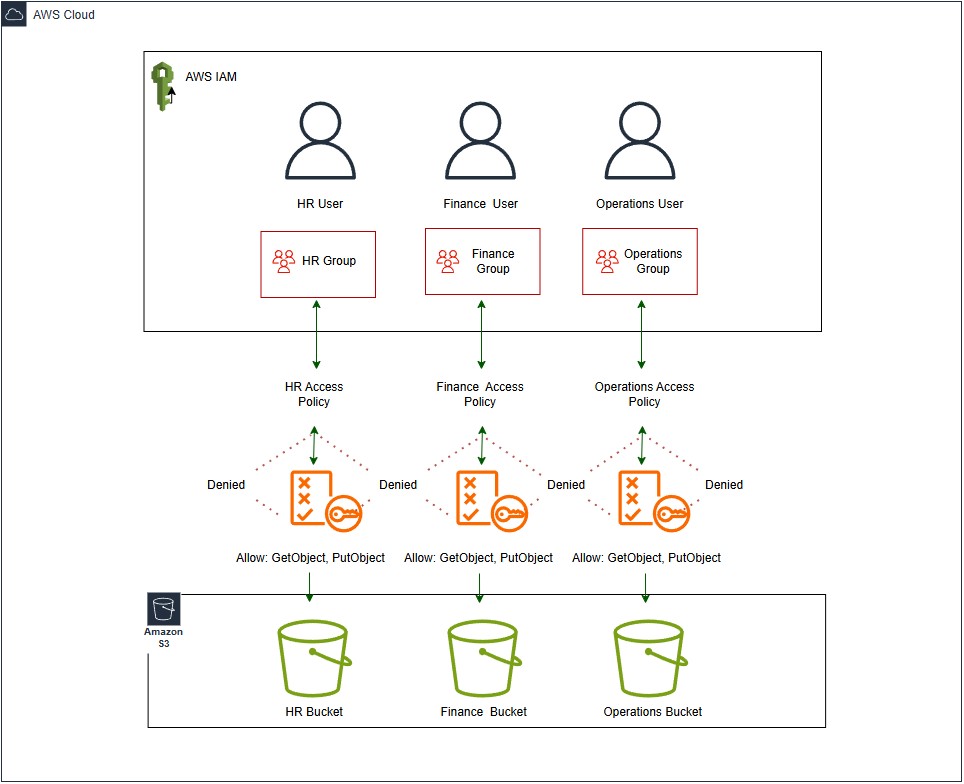
Each group was connected to its own S3 access policy and mapped to a dedicated Amazon S3 bucket. This made the project a stronger example of real-world access control because permissions were managed at the group level, which is easier to maintain and more scalable than configuring each user individually.
Technologies Used
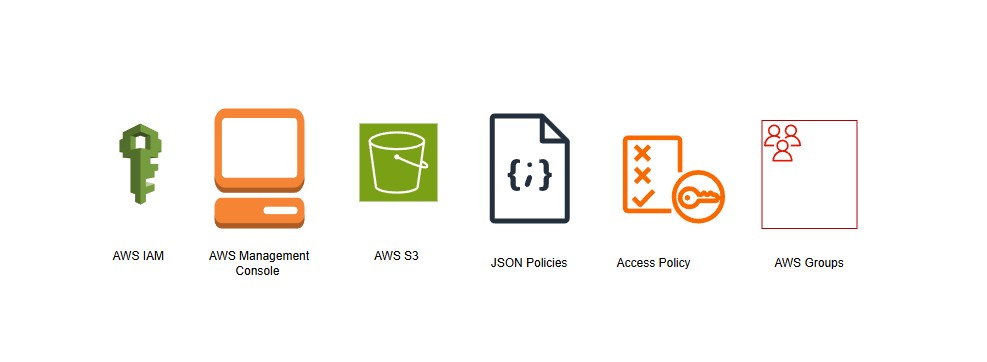
- AWS Identity and Access Management for users, groups, and customer-managed policies
- Amazon S3 for department-specific cloud storage
- IAM JSON policies to define bucket-level permissions and allowed actions
- AWS Management Console for configuration, testing, and validation
- AWS architecture diagramming to document the access flow from user to group to policy to bucket
Implementation Details
I built the environment inside a single AWS account using three IAM users, three IAM groups, three S3 access policies, and three separate Amazon S3 buckets. Each department user was added to the matching IAM group, and each group had a policy attached that granted access only to that group’s assigned bucket. This created a clear access path of user to group, group to policy, and policy to bucket.
The policies were written to support common S3 actions such as ListBucket, GetObject, and PutObject while preventing access to the other two department buckets. I also created an AWS-style diagram to document the final design and visually show the relationship between the IAM layer and the S3 storage layer, including the allowed and denied access paths between departments.
Challenges & Solutions
One challenge in this project was making sure the permission structure stayed clear once the extra group layer was introduced. Instead of assigning policies directly to users, I needed to organize the design so that each user inherited the correct permissions from group membership. Careful naming and one-to-one mapping between users, groups, policies, and buckets helped keep the architecture easy to follow.
Another challenge was presenting the access model in a way that was both technically accurate and easy to understand in a portfolio. To solve that, I used department-based labels, a clean AWS diagram, and a consistent explanation of how permissions flowed through the environment. This made the project more professional and better reflected how access management is commonly handled in AWS.
Outcome
The final result is a simple but realistic AWS security project that demonstrates least-privilege access control through IAM groups. Each department user inherits permissions from the assigned group, and each group can reach only its designated S3 bucket. This keeps data separated by department while showing a scalable permission model inside one AWS account.
Working through this project strengthened my understanding of IAM group-based design, policy structure, and Amazon S3 access management. It also gave me a stronger portfolio example because it shows not only how to configure access, but also how to document the architecture and explain the reasoning behind the design choices.